Run and shoot
leave the rest
to rungle
Stats-overlay photo and Reel draft, done on the bench.
The time you spent editing goes back to running.
iOS · No account needed
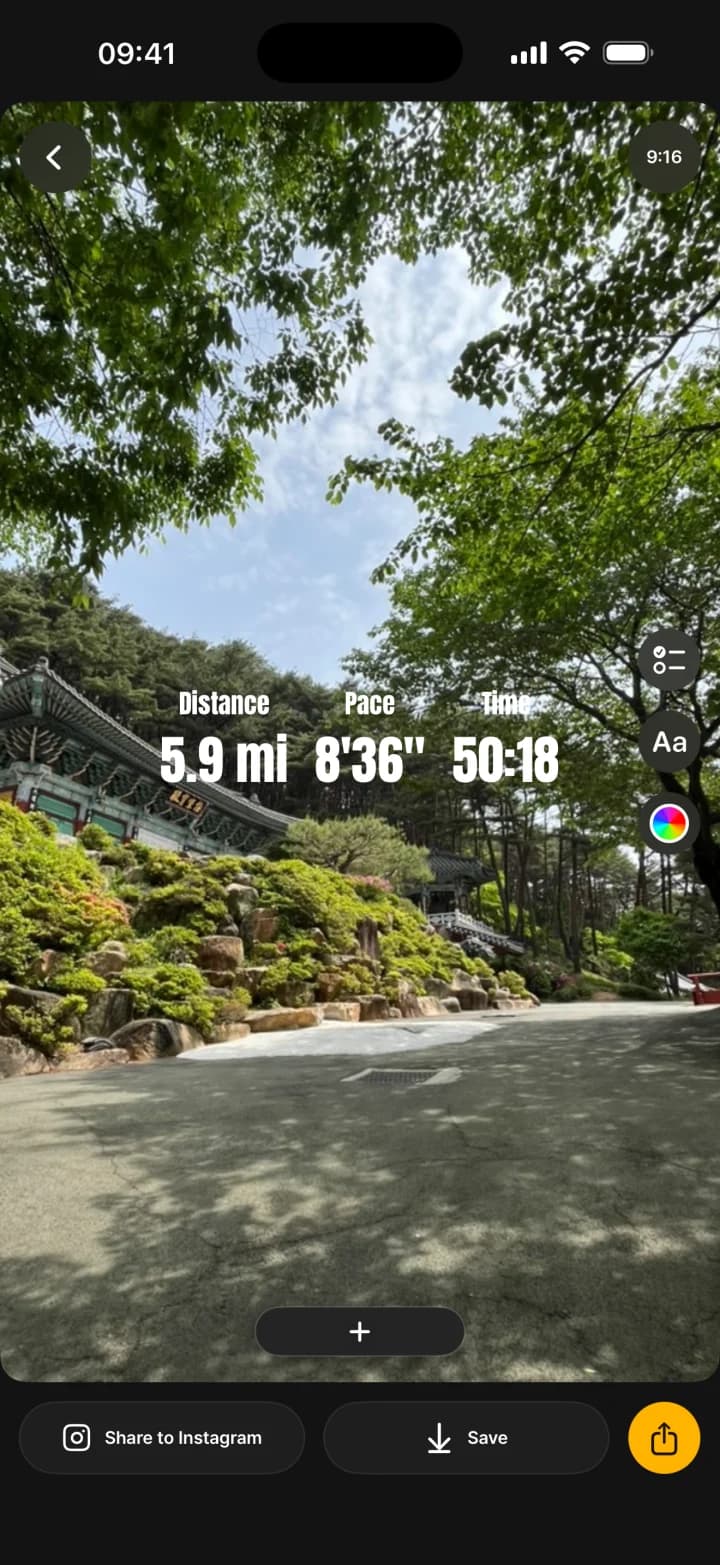
Pick a run,
its photos follow
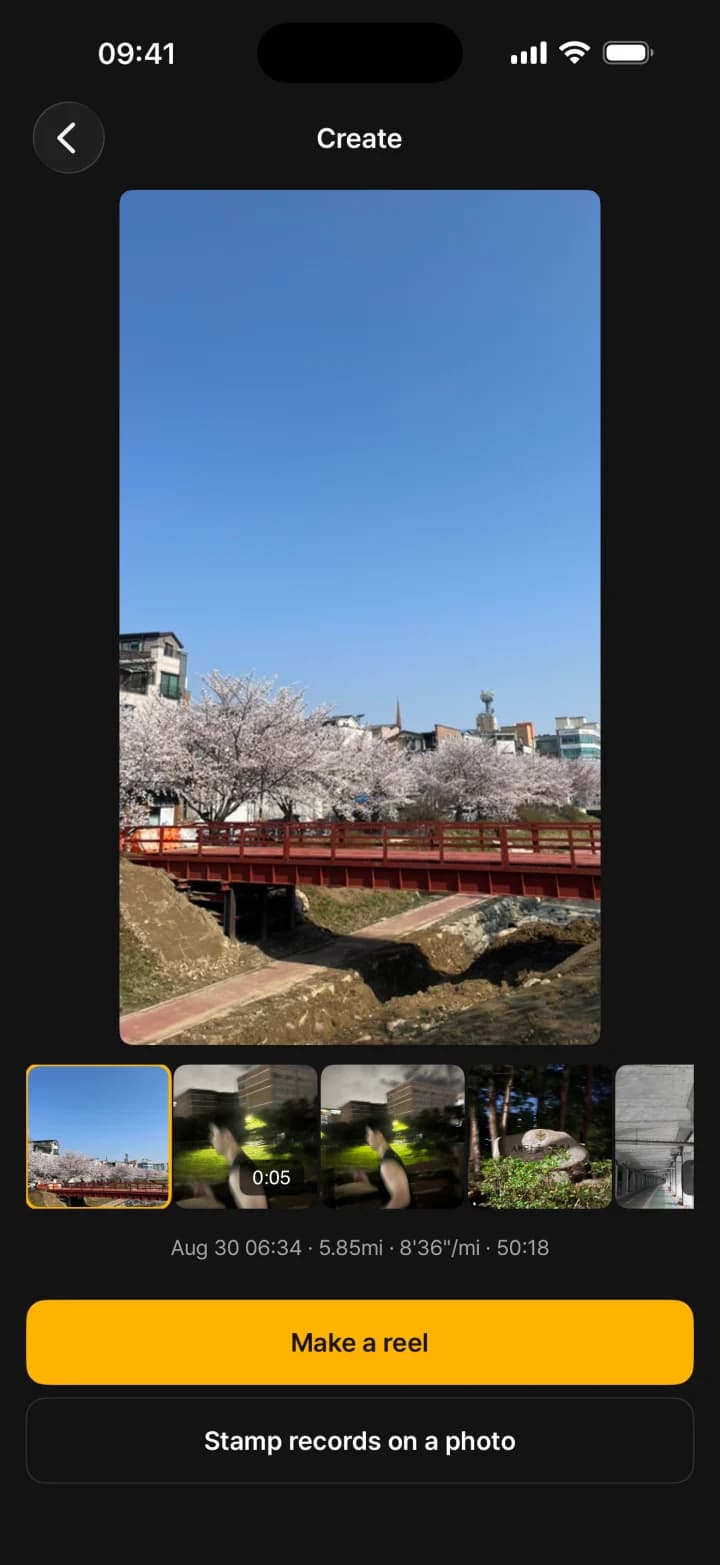
Skip the camera roll. The run's stats and photos come together.
Then choose: make a Reel, or stamp the stats on a photo.
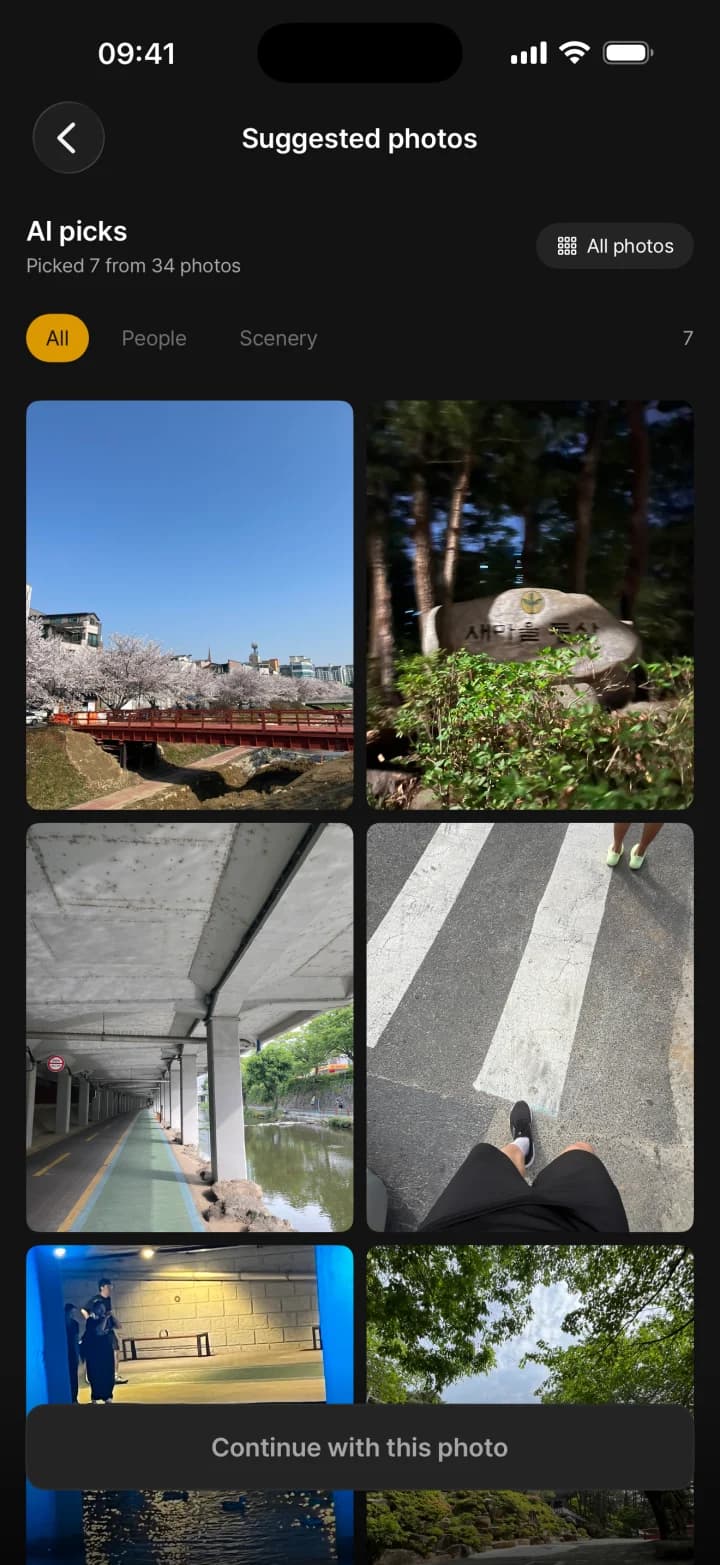
From a hundred shots
to the keepers
Sorted by faces, blur and framing, best first.
Filter by people or scenery. The final pick is yours.
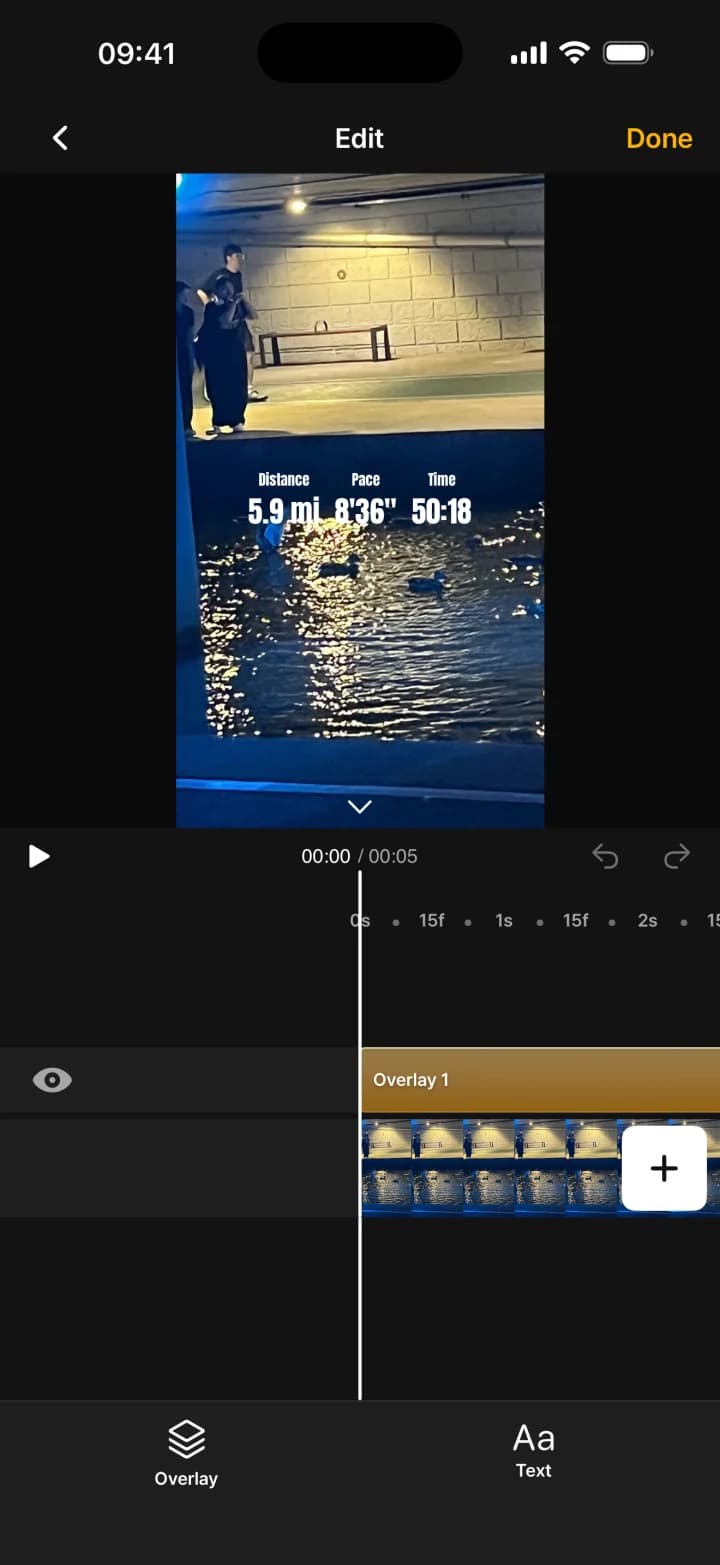
Draft already made,
polish takes a minute
Start from a short draft, stats on, not a blank timeline.
Swap a cut, trim, drop in some text. That's usually enough.
Stats already on it,
post and done
No screenshot cropping: distance, pace and time are on it.
Post to Instagram, save it, or send it to another app.
What we don't do,
stated plainly
Only to judge which shot is sharpest. Never generated, altered or retouched.
Selection and editing happen on the device. Your photos and videos never leave it.
Saving and sharing are never blocked by a paywall or an ad.
Keep your tracker,
rungle does the rest
No re-measuring, no switching apps.
rungle reads the runs already in Apple Health.
Any app that writes runs to Apple Health works.
Frequently asked questions
Which running apps does it work with?
Any app that writes runs to Apple Health (HealthKit). Strava, Nike Run Club, Garmin and Apple Watch all sync through it. No run in Apple Health? Drop in a screenshot of your running app's summary and rungle reads the distance, pace and time. You can check and correct the values before they're used.
I just want to post one photo, not a Reel.
Choose 'Stamp records on a photo' on the Create screen. It puts distance, pace and time on a single photo for you to save or share.
How are my photos and my face handled?
Your photos and videos never leave your device. Selection and editing happen on your iPhone. Faces are only detected to judge how good a shot is, never generated, altered or retouched. Health data is used only to display your stats.
What devices does it run on?
rungle is an iOS app. Download it from the App Store and start right away, no account needed. There's no Android version.
Today's run,
posted today
Make it on the spot, right where your next run ends.
iOS · No account needed